Step 1ο - Go to GMB
(Google my business)
Get started by going to google.com/business Be sure to bookmark this address as you will need it to access your Google My Business profile in the future.
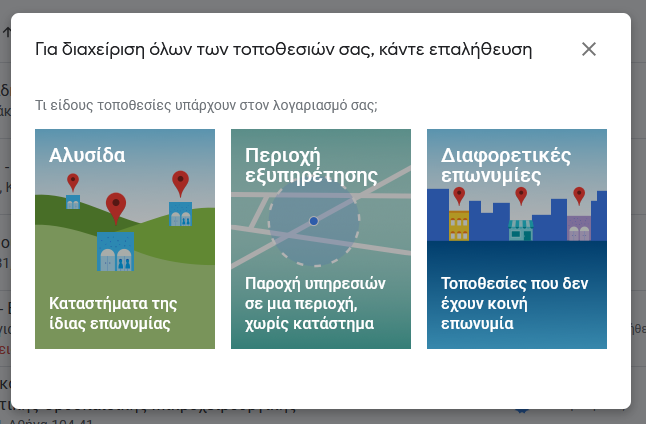
It has happened to you as an ordinary internet user to search for a business in the Google search engine and not find it. And I come to ask you, you did not say how bad! It is like opening a golden guide and not finding what you are looking for. The absence of a business from the online map makes it non-existent for many users. The process of creating a corporate account in Google My Business allows you to manage your business information easily and for free. In addition, the service provides you with the ability to register on Google Maps, a service that is very helpful in promoting your business quickly and easily. So creating an account can be done by following some simple steps which we will mention in this article.
First of all, you should know the benefits of listing your business on Google. The reasons vary and the advantages are many. This is a free service that allows users to find the exact information about your business, it looks like a business card with as much information as you want it to have. This information will be entered by you and you will have to manage it in case of changes, updating statistics for your presence in the search engine. And most importantly, the service is mobile friendly which means that at any time the user can search for you and find you. Additionally, Google My Business allows you to appear in local search results (local SEO). So when someone does a mobile search for Chinese restaurants, Google takes their location into account and returns results for nearby restaurants. This means that you will appear in a very targeted audience and that you have much less competition than in the general, global results, so you are much more likely to have a good search engine ranking. Using the service allows you to respond to your customers' reviews which means that you care about the credibility of your business as well as the relationship of trust that you would like to have with your customers.
Google My Business (GMB) is a free business profile that lets you easily connect with search customers and Google Maps. With this listing you can help your customers find you and better communicate your brand. In this business listing you will find important business information such as: business name, telephone number, website, contact number, opening hours, photos, customer reviews and much more.
The GMB control panel gives you a simple way to manage your appearance. Regardless of your size, all organizations can benefit from using Google My Business.
* Remember, Google My Business is the first step in local SEO. Without it, you do not exist on Google and you run the risk that Google information about your business is incomplete or incorrect.
Next steps
When was the last time your organization checked your GMB profile? Do you have access to it? Have you given value to the registration of your business? Over 40% of businesses in the UK are unaware that you need to sign up and inform Google about your business. Once you search for your business, do you see the ownership of this business? a knowledge graph may appear in the table, indicating that the entry was created manually (usually by Google's car when it passed).
Get started by going to google.com/business Be sure to bookmark this address as you will need it to access your Google My Business profile in the future.
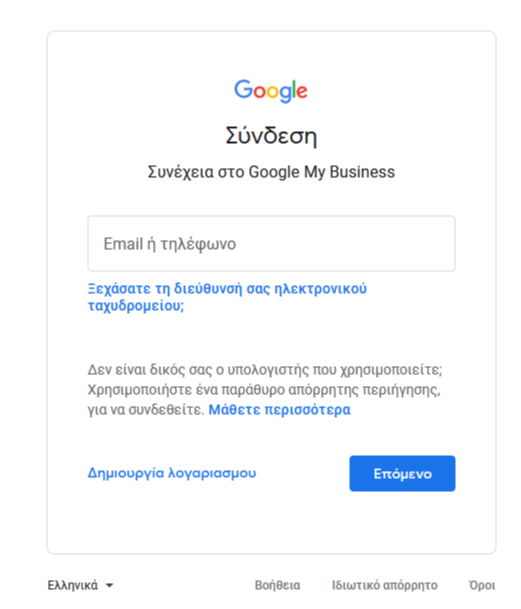
Sign in with your Google Account. If you do not have a Google Account, visit google.com/accounts. You will be able to create a free account with any email address.
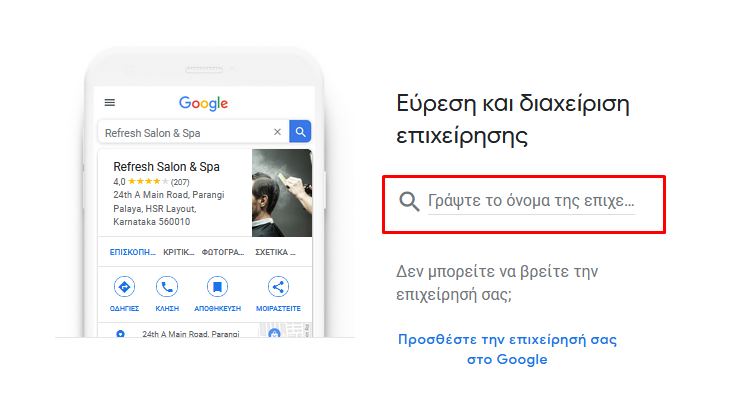
Enter your business name. Make sure you spell your name correctly. This is the first impression for a customer and we want it to be positive in order to gain his trust.
Enter your business address. This screen is where you enter your business address so that Google can verify that your business exists. You are only allowed to have one business per home. It is very important that the address you use at GMB is consistent with the address on your website, other directories and your social channels, such as Facebook. Consistency will help you rank your business higher in searches.
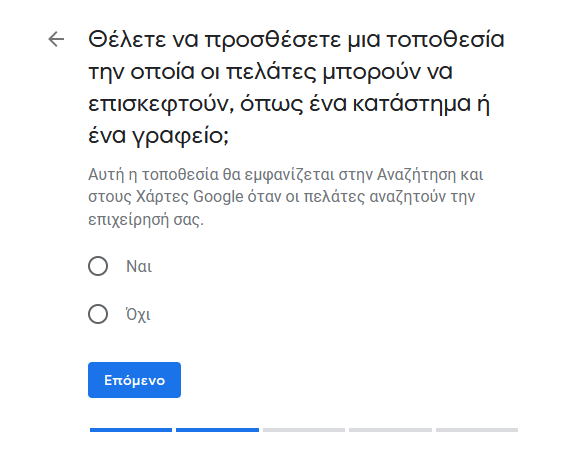
Choose whether you have a store or a service provider. There is also the option if you want customers to visit your store or if you work from home or your customers prefer not to visit your office, you can choose a mile radius around your business, a specific city or a group of postal codes.
Choose the main category of your business. Choosing your main category is very important because it dictates where and when you will appear in Google searches. Google has to do with relevance, so if a potential customer is looking for the "Italian restaurant", but you are a pizza place, then you may not show up. If the customer searches for "Best Pizza Near Me", then you will be much more likely to have your business profile appear in the search results.
Once you have filled in all the details, click "Continue" or "Continue" to be taken to a page where you will confirm your business details, you will agree that you are responsible for managing the page and you will accept Google's terms. Google will then create your Google My Business account and profile. Once the process is complete you will be asked to confirm your business address so that you can be sent a card with a code. After verifying your business address with the postcard sent to you, you can access the Google My Business dashboard.
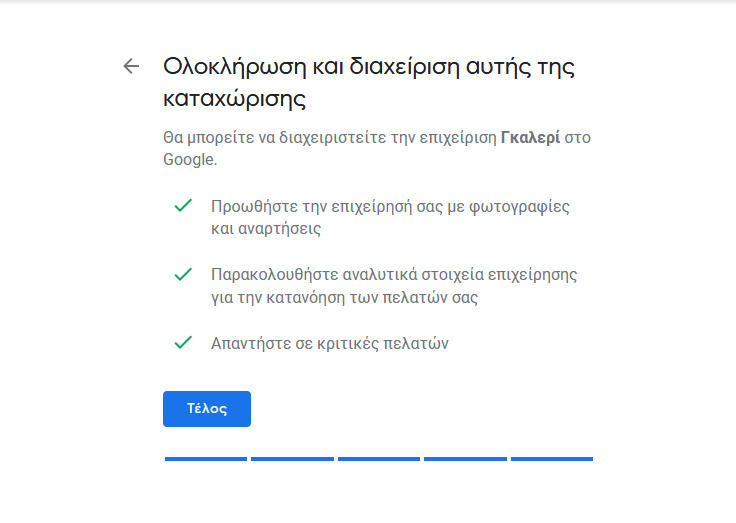
Note: Verification allows Google to verify that you are the legal owner of the business in order to have the right to manage your Google Corporate profile. Security is important and only Google should provide information about your Company profile.
THIS IS!
Are you ready. You submitted the details and verified your business and filled in your profile in detail. Now you can be sure that the information your customers see is complete and up to date.
First, complete your listing by adding a short profile name (ie @tastemypasta) and a description. Your description should accurately clarify your business and the services you provide. After completing each field, line by line, in the "Information" section, check again that all your information is accurate and complete to include name, address, opening hours, phone number, website , the services and the start date of your business.
A tip: when adding service areas, do not just mention the city in which you live. Carefully add each area around which you want to appear in search results to include neighborhoods, municipalities and counties.
If your business has many years of experience or is for example a female business you can add these fields to the "Features" category in the Information tab. Then use high quality, relevant photos in your account as this way you will receive more clicks, calls and referral requests. There is a strong relationship between photo quality / quantity and search performance. Listings that include photos have more views in search and maps and at the same time have a higher percentage of interaction with users. In case you have products with fixed pricing, mention them in the Products category. Don't forget to add high quality images to make your products more enticing.
Pay attention to your categories and subcategories. It is very important to position the business correctly and make sure that the Google Map pin is positioned correctly, as this is reflected in the navigation and route instructions. Next, the main category must be very specific to your business. Secondary categories are also important, but not to such an extent.
Features will allow customers to see what your business has to offer, such as offering Wi-Fi or outdoor seating. Adding relevant, accurate features to your business profile helps you stand out from your customers who find your business on Google. Google places a lot of emphasis on Accessibility and therefore collects information about your business for sharing with customers who have specific accessibility needs. Accessibility features currently state whether the entrance, toilets, seats, car park and elevator of your business are wheelchair accessible.
The description of your business is equally important. You have 750 characters to inform potential customers about the shipping, history and history of your brand. This description will not affect your ranking, but if you have an interesting story to tell, it can peak people's interest. Even if you have 750 characters, Google will cut it, so put the most interesting points first.
Finally, add your Services. Keep track of all the keywords your audience is looking for to find and list the services your business offers. If you want to be active in search engines it is useful to post to your account. Posts about your news, offers for your products and services, events, tips for using your products or services, etc. Posts like these will attract interest and invite the visitor to act.
So use your social media accounts or email to post your news, marketing material, content campaigns, videos, corporate news etc. and analyze your efforts with statistics. Finally, respond and encourage user feedback. User reviews can not only be the best possible advertisement for you but will also help you become better.(see related article on our website here). Facilitate and encourage users to review your business. Even if you do not like the comments you will read (to be precise especially then) respond to the comments of users, with courtesy and positive psychology and you will see that you will win.

Get a great presence and turn your visitors into customers.